Best Affordable Laptop in 2026
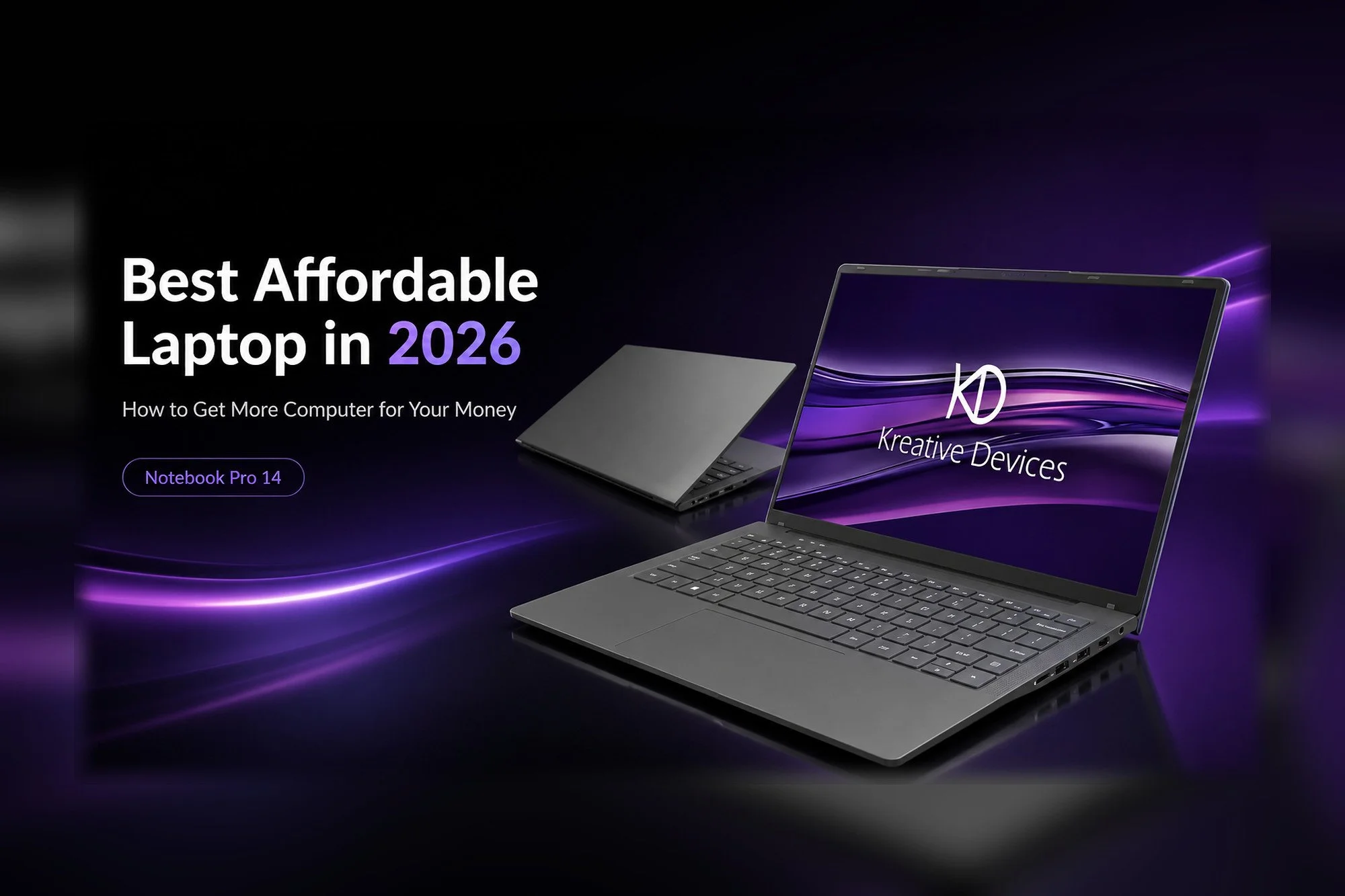
Notebook Pro 14
Spend Smarter: Get More Computer for Your Money
If you're searching for the best affordable laptop, a cheap laptop, a budget laptop, or simply the best laptop for the money, there's one thing worth remembering:
The Cheapest Laptop Isn't Always the Best Deal
Most people looking for a cheap laptop don't actually want a bad computer.
They want to spend less without giving up the performance they need.
They want a laptop that can handle school, work, business, entertainment, programming, music production, content creation, and everyday multitasking without paying extra for features they don't need.
That's where value becomes more important than price alone.
Instead of asking:
“What is the cheapest laptop I can buy?”
Ask:
“What is the most computer I can get for my money?”
That question can lead to a much better purchase.
Real value isn't about spending the least. It's about getting the right performance, flexibility, upgradeability, and longevity for your money.
What Is the Best Affordable Laptop?
The best affordable laptop isn't necessarily the laptop with the lowest price.
It's the computer that gives you the right combination of:
Processor performance
RAM
SSD storage
Upgradeability
Display quality
Connectivity
Build quality
Portability
Operating system
Long-term usability
Price
An inexpensive laptop may look like a great deal until you discover that its processor struggles with your workload, its memory can't be upgraded, its storage fills quickly, or it doesn't have the ports you need.
A computer that costs a little more initially but provides substantially more performance and room to upgrade may ultimately deliver much better long-term value.
That's why you should compare what you're getting, not just what you're spending.
The best affordable laptop is the one that continues giving you useful performance after the excitement of the original purchase is gone.
Cheap Laptop vs. Best-Value Laptop
There's an important difference between buying a cheap laptop and buying an affordable high-performance laptop.
Consider two computers.
Laptop A: The Cheapest Option
It might include:
Entry-level processor
Minimal RAM
Small SSD
Limited connectivity
Non-upgradeable memory
Limited storage expansion
Just enough performance for basic computing
It costs less today.
But what happens when your needs grow?
You may eventually have to replace the entire computer.
Laptop B: The Better-Value Option
It may include:
More powerful processor
More RAM capacity
Upgradeable memory
Expandable SSD storage
More useful ports
Better multitasking performance
More room for your needs to grow
Laptop B may cost more initially.
But if you can upgrade it instead of replacing it, which computer was really cheaper?
The cheapest laptop today can become the more expensive choice tomorrow.
What Laptop Specs Do I Actually Need?
Before looking for laptop deals, determine what you're actually going to do with the computer.
Someone who mainly browses the web has very different requirements from someone editing video, recording music, programming software, running a business, or using professional creative applications.
But even ordinary computer use can involve more multitasking than people realize.
A typical day might include:
Multiple Chrome or Edge tabs
Email
Microsoft Word
Excel
Google Docs
YouTube
Spotify
Zoom
Microsoft Teams
Cloud storage
Security software
AI-assisted applications
School or business software
Background Windows processes
All of those applications compete for processor time and memory.
Buying only enough computer to satisfy today's absolute minimum may save money initially, but it can also limit the useful life of the computer.
A better-value laptop gives you enough capability to handle what you're doing now while leaving room for what you may do later.
Buy for the way you actually use your computer, not simply the minimum specifications printed on the box.
How Much RAM Do I Need in a Laptop?
One of the most common questions people ask when shopping for an affordable laptop is:
Is 8GB RAM Enough, or Should I Get 16GB?
For lighter computing, 8GB may still be workable.
For more comfortable multitasking, 16GB is a much stronger starting point for many users.
More demanding workloads may benefit from:
32GB RAM
48GB RAM
64GB RAM
Or more, depending on the computer and workload
But capacity isn't the only thing that matters.
Can You Upgrade the RAM?
That's an important question.
Some laptops have memory permanently soldered to the motherboard.
If you buy 8GB, you may always have 8GB.
If your workload later requires 16GB, 32GB, or more, replacing the laptop may be your only practical option.
An upgradeable laptop with replaceable RAM lets you increase your memory instead.
That can be a major advantage for students, businesses, programmers, creators, musicians, professionals, and anyone who wants to keep a computer for several years.
Upgradeable RAM gives you the freedom to buy what you need today and add more tomorrow.
Is DDR4 Still Good in 2026?
Yes.
DDR5 is newer than DDR4.
That does not mean DDR4 suddenly stopped being capable.
If you're searching for DDR4 vs DDR5, is DDR4 still good, is DDR4 worth it in 2026, is DDR5 worth the extra money, or simply looking for an affordable DDR4 laptop, it's important to compare the whole computer rather than focusing on the memory generation alone.
Overall system performance depends on many components, including:
Processor
Amount of RAM
Storage
Graphics
Cooling
Software
The workload you're running
For many everyday, business, school, programming, music production, content creation, and professional workloads, a properly configured DDR4 system can still provide excellent real-world performance.
DDR4 can also provide another important advantage:
Affordability.
That's one reason the Kreative Devices Notebook Pro 14 uses DDR4 memory.
Instead of forcing customers to pay more simply because a newer memory standard exists, the Notebook Pro 14 uses proven DDR4 memory to deliver strong performance while helping keep the overall system and future memory upgrades more affordable.
It includes two upgradeable DDR4 SO-DIMM slots and supports up to 64GB of RAM.
That means you can choose the amount of memory you need today while keeping room to grow tomorrow.
Newer doesn't automatically mean better value for every buyer.
Is an Upgradeable Laptop Worth It?
For many people, absolutely.
A computer doesn't necessarily become obsolete just because you need more RAM or storage.
If those parts can be upgraded, you can improve the computer instead of replacing it.
When shopping for an upgradeable laptop, look for:
Replaceable RAM
Expandable SSD storage
Multiple storage options
Useful standard ports
Access to common upgrades
The Kreative Devices Notebook Pro 14 supports two DDR4 SO-DIMM memory slots and two SATA or NVMe SSD modules.
That gives you the ability to expand the computer as your workload changes.
Instead of replacing a perfectly good machine because you need more memory or storage, you have another option:
Upgrade it.
Upgrade the part you need instead of replacing the computer you already own.
How Much SSD Storage Do I Need?
Storage requirements depend heavily on what you're doing.
Documents and spreadsheets don't consume much space.
But storage can disappear quickly if you're working with:
Video
Photography
Music projects
Sample libraries
Games
Development environments
Large business files
Creative applications
Local AI applications
Large media collections
Instead of worrying only about how much storage is installed when you buy the computer, ask another question:
Can I Expand the Storage Later?
An expandable system gives you more control.
If your storage requirements double two years from now, you shouldn't necessarily need a new computer.
Expandable storage means today's purchase doesn't have to determine tomorrow's limits.
Best Affordable Laptop for Students
If you're searching for the best affordable laptop for students, budget laptop for school, college laptop, cheap student laptop, or best laptop for college, think beyond writing papers.
Today's students may use their computer for:
Research
Presentations
Online classes
Video meetings
Programming
Engineering applications
Graphic design
Music production
Video editing
AI tools
Entertainment
Everyday multitasking
The computer you use during your first semester may need to handle much more demanding work by your final year.
That's where strong processor performance, sufficient RAM, expandable storage, and upgradeability can provide better long-term value.
A good student laptop should be able to grow with your education.
Best Affordable Laptop for Work
A budget laptop for work still needs to work.
Business and remote-work users routinely run:
Email
Spreadsheets
Word processing
Web applications
Video conferencing
Accounting applications
Customer-management software
Cloud applications
Multiple browser windows
External displays
USB accessories
That's why the best laptop for work isn't necessarily the cheapest business laptop.
It should be responsive, reliable, and flexible enough to handle a real workday without making you fight the computer.
Your computer should help you get work done, not become another problem you have to manage.
Best Budget Laptop for Small Business
Small-business owners often need one computer to perform many different jobs.
A single laptop might be used for:
Accounting
Inventory
Customer management
Website administration
Marketing
Video calls
Presentations
Social media
Graphic design
Content creation
AI-assisted business applications
That makes flexibility particularly important.
An affordable business laptop should be capable enough for today's workload while leaving room for tomorrow's.
A small-business computer should be an investment in productivity, not a limitation on it.
Best Affordable Laptop for Programming and Coding
If you're searching for the best budget laptop for programming, affordable laptop for coding, Windows laptop for programming, or laptop for software development, pay particular attention to:
CPU performance
RAM
SSD performance
Upgradeability
Display
Connectivity
Development workloads can involve:
IDEs
Compilers
Local servers
Databases
Virtual environments
Browser development tools
Large codebases
AI coding assistants
Multiple displays
As your projects become more complicated, the ability to add RAM or storage can become increasingly valuable.
A computer that can grow with your development workload gives you more room to take on bigger projects later.
Affordable Laptop for Music Production
Music production is another workload where the cheapest laptop may not be the best choice.
A laptop for music production or audio production laptop may need to run:
DAW software
Large recording sessions
Audio tracks
Plug-ins
Virtual instruments
Sample libraries
MIDI applications
Audio interfaces
External storage
Strong processor performance, enough RAM, fast storage, and practical connectivity can all matter.
That's one of the reasons Kreative Devices builds computers around real creative workflows instead of treating creators as an afterthought.
When inspiration strikes, your computer should keep up with the session, not interrupt it.
Affordable Laptop for Video Editing and Content Creation
If you're searching for a budget laptop for video editing, affordable laptop for photo editing, laptop for content creation, creator laptop, or affordable laptop for graphic design, you need to look beyond price.
Creative workloads can become demanding very quickly.
Processor performance, RAM, SSD storage, and graphics capability all contribute to the experience.
For heavier video and graphics work, dedicated graphics may make sense.
For less demanding creative workloads, a strong processor with integrated graphics can offer a better balance between performance, portability, and price.
The right creator laptop is the one that fits what you actually create.
What Ports Should a Laptop Have?
Laptop specifications aren't only about speed.
Connectivity matters too.
Before purchasing a computer, think about what you connect every day.
You may need:
USB-A
USB-C
HDMI
Ethernet
Micro SD
Headphones
Audio interfaces
External SSDs
External displays
Keyboard and mouse
Other accessories
The Kreative Devices Notebook Pro 14 includes USB-C with data, DisplayPort and charging support, three USB 3.2 Type-A ports, HDMI, RJ45 Ethernet, Micro SD, 3.5mm audio, and a Kensington lock connection.
A laptop with the connections you already use can reduce the need for additional adapters, hubs, and docking accessories.
The connections you use every day should be part of the buying decision too.
Meet the Kreative Devices Notebook Pro 14
If you're looking for an affordable Windows laptop with strong performance, upgradeable RAM, expandable storage, and practical connectivity, the Kreative Devices Notebook Pro 14 was designed around that idea.
The Notebook Pro 14 features:
Intel Core 7 13620H processor
10 cores and 16 threads
Intel integrated graphics
14-inch 1920 × 1200 IPS display
Two upgradeable DDR4 SO-DIMM slots
Up to 64GB DDR4 RAM
Support for two SATA or NVMe SSD modules
USB-C with data, DisplayPort and charging
Three USB 3.2 Type-A ports
HDMI
RJ45 Ethernet
Micro SD card reader
3.5mm audio
Fingerprint reader
Backlit keyboard
HD webcam with physical privacy switch
Wi-Fi
Bluetooth
Alloy chassis
Windows 11 installed
Windows 10 available by request
The Notebook Pro 14 isn't designed to be the absolute cheapest laptop on the internet.
It's designed to offer something more useful:
More computer for your money.
Best Laptop Under $1,000: What Should You Look For?
If you're searching for the best laptop under $1,000, use your budget as a maximum, not as a specification.
Before buying, ask:
What Processor Am I Getting?
A stronger processor can make a substantial difference as workloads grow.
How Much RAM Is Included?
Make sure the system has enough memory for the way you use it.
Can I Upgrade the RAM?
Upgradeable memory can extend the useful life of the computer.
How Much Storage Is Included?
And equally important:
Can I Add More Storage Later?
Does It Have the Ports I Need?
Adapters and docking stations cost money too.
Is the Computer Designed to Grow With Me?
A good affordable laptop shouldn't automatically become disposable when your needs change.
The best laptop under $1,000 isn't necessarily the one closest to $1,000. It's the one that gives you the most useful performance and flexibility within your budget.
Who Is the Notebook Pro 14 For?
The Notebook Pro 14 can be a strong option for:
Students
College users
Remote workers
Business professionals
Small-business owners
Programmers
Developers
Musicians
Audio producers
Content creators
Photo editors
Everyday users
Anyone looking for an upgradeable Windows laptop
One computer can serve many different kinds of users when it has the right balance of performance, connectivity, and flexibility.
The important thing isn't the category. It's finding a computer that matches the way you actually use it.
Frequently Asked Questions About Affordable Laptops
What Is the Best Affordable Laptop?
The best affordable laptop is one that provides enough processor performance, memory, SSD storage, connectivity, and flexibility for your workload without making you pay for features you don't need.
Look for value across the entire computer, not just the price tag.
What Is the Best Budget Laptop?
A good budget laptop should balance price with performance and long-term usability.
Don't compare price alone.
Compare the processor, RAM, storage, upgradeability, display, connectivity, and overall system.
What Is a Good Cheap Laptop?
A good cheap laptop is inexpensive without being unnecessarily limited.
Look for enough CPU performance and RAM for your workload and, when possible, upgradeable memory and storage.
Cheap should describe the price, not the experience.
Is 16GB RAM Enough for a Laptop?
For many school, business, home, and everyday multitasking workloads, 16GB is a strong starting capacity.
More demanding creative, development, or professional workloads may benefit from 32GB, 48GB, or 64GB.
Is DDR4 Still Good in 2026?
Yes.
DDR4 remains capable for many everyday and professional workloads.
The more useful comparison is the complete computer, including CPU performance, total RAM capacity, storage, upgradeability, and price, rather than memory generation alone.
Is DDR5 Better Than DDR4?
DDR5 is a newer memory standard, but that doesn't automatically make every DDR5 computer a better purchase than every DDR4 computer.
Compare the complete system.
A stronger processor, more RAM, greater storage capacity, better connectivity, or better upgradeability may matter more to your real-world experience than the memory-generation label alone.
Should I Buy a Laptop With Upgradeable RAM?
Upgradeable RAM can be especially valuable if you plan to keep your laptop for several years.
It allows you to increase memory later instead of replacing the computer simply because your memory requirements changed.
What Laptop Is Good for College?
Look for portability, enough CPU performance, sufficient RAM, SSD storage, useful ports, and enough flexibility for more demanding coursework later.
What Laptop Is Good for Working From Home?
A good work-from-home laptop should comfortably handle office software, web applications, video meetings, multitasking, external displays, storage devices, and the peripherals you use every day.
What Laptop Is Good for Programming?
Look for a capable processor, sufficient RAM, fast SSD storage, a comfortable display, and good connectivity.
Upgradeable RAM and storage can become particularly useful as development workloads grow.
What Laptop Is Good for Music Production?
Music-production laptops benefit from strong CPU performance, sufficient RAM, fast SSD storage, and reliable connectivity for audio interfaces, controllers, and external storage.
What Laptop Is Good for Video Editing?
Video-editing laptops benefit from strong processor performance, enough RAM, fast SSD storage, and graphics capability appropriate for the complexity of the projects being edited.
Is an Upgradeable Laptop Worth Buying?
For many users, yes.
Being able to add RAM or storage can extend the useful life of the computer and make it easier to adapt the system to changing requirements.
Looking for Creative Devices, Kreative Designs, or Creative Designs?
If you searched for Creative Devices, Kreative Designs, Creative Designs, Creative Device, or Kreative Device, you're in the right place.
Our official brand name is Kreative Devices.
Whether you searched for a Kreative Devices laptop, Creative Devices laptop, Kreative Devices computer, Creative Devices computer, Kreative Devices Notebook, or simply remembered part of our name, you've found the official Kreative Devices website.
Kreative Devices offers customizable computers for creators, students, professionals, businesses, programmers, musicians, video editors, and everyday users.
However you found us, the name you're looking for is Kreative Devices.
Don't Just Buy the Cheapest Laptop. Buy the Right Laptop.
There will always be another cheap laptop.
There will always be another laptop sale.
And there will always be another new specification promising that everything before it is suddenly obsolete.
But you're not buying a specification sheet.
You're buying the computer you're actually going to use.
Whether you're shopping for an affordable laptop for school, college, work, business, programming, music production, content creation, or everyday use, the goal should be the same:
Get the most useful computer you can for your money.
Ready to Get More Computer for Your Money?
Explore the Kreative Devices Notebook Pro 14 and configure the memory and storage that fit the way you work.
Choose what you need today. Keep the flexibility to upgrade tomorrow.
SHOP NOTEBOOK PRO 14
Kreative Devices
Designed by creators, for creators.