DDR4 vs. DDR5: Do You Really Need to Pay More?
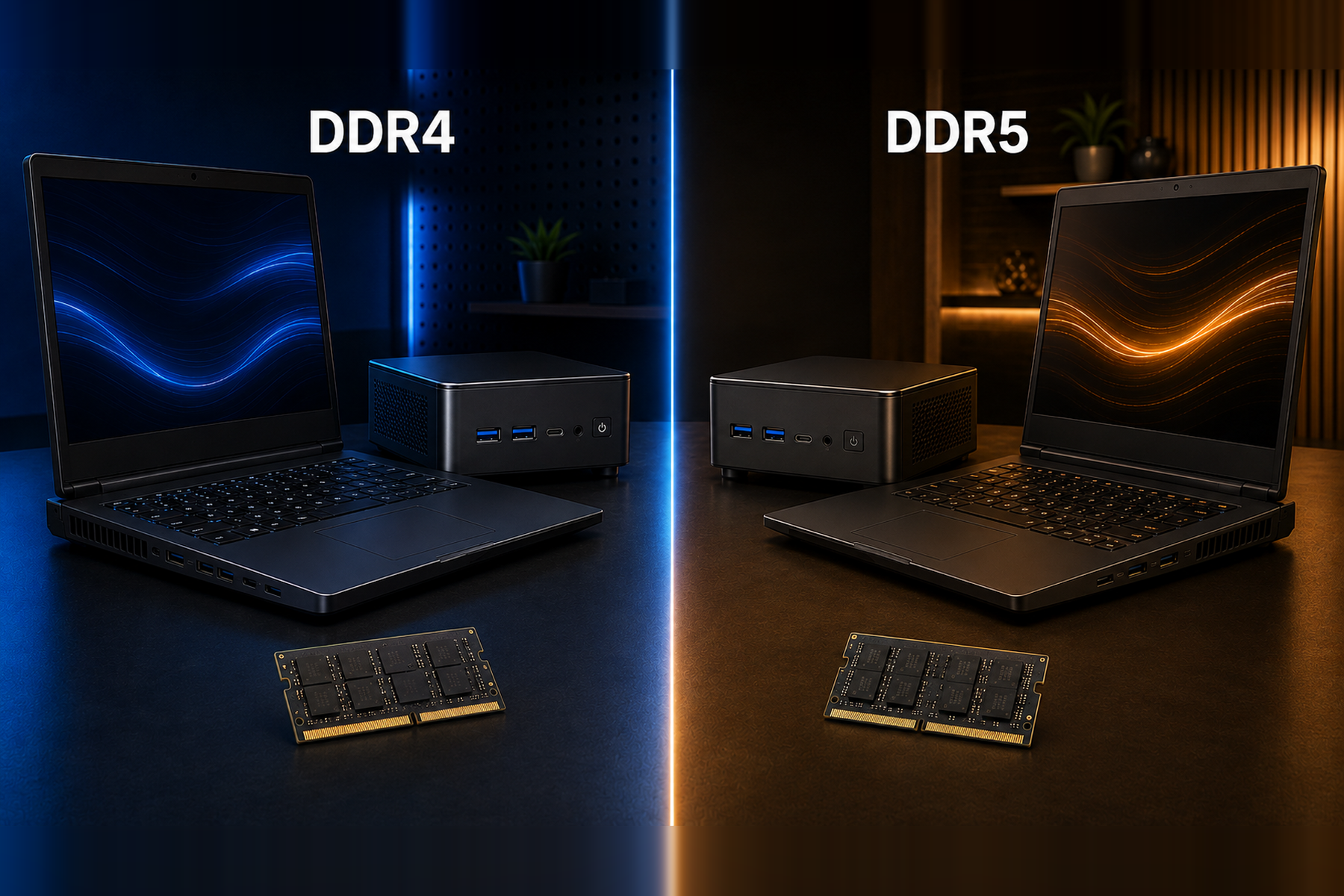
DDR4 RAM VS DDR5 RAM

Newer Memory Doesn't Automatically Mean a Better Computer

If you're comparing DDR4 vs DDR5, wondering is DDR4 still good in 2026, or asking is DDR5 worth the extra money, you're asking the right question.

DDR5 is newer.

It provides substantially more memory bandwidth than DDR4 and introduces architectural improvements designed for newer generations of computers.

But there's an important distinction:

More memory bandwidth does not mean your entire computer becomes proportionally faster.

The processor, graphics, amount of RAM, SSD, cooling, software, and the type of work you're doing all contribute to real-world performance.

For many students, business users, musicians, programmers, creators, and everyday computer users, a properly configured DDR4 system can still provide fast, responsive performance.

And in the current market, choosing DDR4 can potentially save you a substantial amount of money.

So instead of asking:

“Which memory technology is newer?”

Ask:

“Will DDR5 improve what I actually do enough to justify what I'm paying for it?”

For some people, the answer is yes.

For many others, it may not be.

DDR4 vs DDR5: What's the Actual Difference?

DDR stands for Double Data Rate memory.

DDR5 is the generation that followed DDR4.

One of DDR5's biggest advantages is memory bandwidth.

DDR4-3200 transfers data at up to 3200 MT/s, while mainstream DDR5 operates at considerably higher transfer rates.

Micron has shown that DDR5 can provide up to roughly twice the memory bandwidth of DDR4-3200 under certain configurations.

That's a real technological improvement.

But memory bandwidth is only one part of computer performance.

A computer doesn't consist of RAM alone.

Your CPU still has to process the workload.

Your GPU still has to render graphics.

Your SSD still has to read and write data.

Your applications still have their own performance characteristics.

And you still need enough total RAM capacity to keep everything running comfortably.

DDR5 can move more data through memory. That does not mean every application will run twice as fast.

DDR4 vs DDR5 Price in 2026

This is where the decision becomes especially interesting.

Memory prices have become unusually expensive and volatile in 2026, particularly for DDR5.

Current U.S. retail price tracking updated in August 2026 showed examples such as:

32GB RAM

  • DDR4-3200 32GB: approximately $179

  • DDR5-5600 32GB: approximately $379

That's roughly a $200 difference for the same amount of memory.

64GB RAM

  • DDR4-3200 64GB: approximately $399

  • DDR5-6000 64GB: approximately $854

That's roughly a $455 difference.

Memory prices can change quickly, so these figures should be viewed as a snapshot of the current market rather than permanent prices.

But they demonstrate something important:

The price difference between DDR4 and DDR5 can be much larger than the real-world performance difference experienced by many users.

That changes the value equation dramatically.

What Are You Actually Getting for the Extra Money?

DDR5 does provide benefits.

Depending on the platform and workload, those can include:

  • Higher memory bandwidth

  • Higher transfer speeds

  • Improved efficiency

  • Greater potential memory density

  • Better performance in certain bandwidth-intensive workloads

  • A newer platform with a longer future roadmap

Those are legitimate advantages.

But the important word is:

Depending.

The performance improvement you experience depends heavily on what your computer is doing.

A workload that constantly moves large amounts of data through memory may benefit noticeably.

A workload that is primarily limited by CPU performance, graphics performance, storage speed, or another component may show a much smaller difference.

That's why DDR4 vs DDR5 performance cannot be reduced to one simple percentage.

Is DDR4 Still Good in 2026?

Yes.

DDR4 did not become slow simply because DDR5 became available.

DDR4-3200 remains capable memory for a wide range of applications.

That includes many workloads involving:

  • Everyday computing

  • Office applications

  • School

  • Business

  • Web browsing

  • Multitasking

  • Programming

  • Music production

  • Photo editing

  • Content creation

  • Video conferencing

  • General productivity

  • Many gaming workloads

The more useful question isn't:

“Is DDR4 old?”

It's:

“Does DDR4 provide enough performance for what I need this computer to do?”

For a large number of users, the answer is still yes.

Is DDR4 Obsolete?

No.

DDR4 is an older memory generation, but older and obsolete do not mean the same thing.

A technology becomes a problem when it can no longer provide the performance, capacity, compatibility, or reliability needed for the intended workload.

DDR4 systems can still support substantial amounts of memory and powerful processors.

They can still run Windows, professional software, creative applications, development tools, business software, and modern everyday applications.

That doesn't mean everyone buying a new computer should automatically choose DDR4.

It means a DDR4 computer should be judged on the performance and value of the whole system, not rejected simply because DDR5 exists.

Is DDR5 Worth It?

Sometimes, absolutely.

DDR5 deserves serious consideration if:

  • Your workload is heavily dependent on memory bandwidth

  • You use applications that show meaningful gains from DDR5

  • You rely heavily on integrated graphics that can benefit from faster system memory

  • You want the newest platform available

  • Maximum performance matters more than purchase price

  • The price difference is small enough that it doesn't affect the rest of your configuration

If those factors apply to you, spending more for DDR5 can make sense.

But if choosing DDR5 forces you to compromise elsewhere, the calculation becomes different.

Would you rather have:

16GB DDR5

or

32GB DDR4?

For someone whose workload regularly exceeds 16GB of memory, having more RAM capacity may be considerably more useful than having less RAM simply because it's a newer generation.

The same principle applies to storage, processors, graphics, and other components.

16GB DDR5 vs 32GB DDR4: Which Is Better?

There is no universal answer because the workloads are different.

If your applications need less than 16GB and benefit strongly from memory bandwidth, DDR5 may provide the advantage.

But if your applications require more than 16GB, running out of available RAM can have a much larger effect on your experience than the difference between DDR4 and DDR5.

That's why capacity matters.

A computer with 32GB or 64GB of affordable DDR4 can be a smarter configuration for some users than a more expensive system with less DDR5 memory.

Having enough RAM is often more important than having the newest RAM.

DDR4 vs DDR5 for Gaming

Gaming is one of the most common reasons people search for DDR4 vs DDR5 performance.

DDR5 can improve gaming performance, particularly in situations where the game is heavily CPU-limited or benefits from additional memory bandwidth.

But gaming performance also depends heavily on:

  • CPU

  • GPU

  • Resolution

  • Graphics settings

  • Game engine

  • Cache

  • Background applications

  • Memory timings

  • Memory capacity

At higher resolutions or graphics settings where the GPU becomes the primary limitation, changing memory alone may have a smaller effect on overall frame rates.

Integrated graphics are another consideration because they use system memory instead of dedicated graphics memory. In those systems, faster memory bandwidth can have a greater effect.

So if you're asking DDR4 vs DDR5 for gaming, the correct answer isn't that one is always better for every gamer.

DDR5 provides higher performance potential.

DDR4 can still provide excellent gaming performance when paired with the right hardware.

Look at the entire gaming system, not just the RAM label.

DDR4 vs DDR5 for Work and Business

For everyday business computing, memory capacity can often matter more than maximum bandwidth.

A typical workday may involve:

  • Email

  • Microsoft Office

  • Large spreadsheets

  • Web applications

  • Cloud software

  • Zoom or Teams

  • Multiple browser windows

  • Accounting software

  • Customer-management systems

  • AI-assisted applications

  • Background applications

A system with enough RAM to keep these applications open comfortably can provide a smooth experience whether that memory is DDR4 or DDR5.

For many businesses, spending hundreds of additional dollars simply to move from DDR4 to DDR5 may not provide an equally dramatic improvement in daily productivity.

That money may be better spent on:

  • More memory

  • More SSD storage

  • A better processor

  • Additional computers

  • Monitors

  • Accessories

  • Software

  • Or simply lowering the total cost of the system

Business value should be measured by what helps people work—not by which specification is newest.

DDR4 vs DDR5 for Students

Students can have very different computing requirements.

One student may primarily use a browser, Word, presentations, and video conferencing.

Another may be studying:

  • Computer science

  • Engineering

  • Graphic design

  • Music

  • Video production

  • Architecture

  • Photography

  • Business

  • Data analysis

For most students, the goal should be to purchase enough overall computer performance to last through increasingly demanding coursework.

That means considering processor performance, RAM capacity, SSD storage, display quality, portability, battery life, connectivity, and upgradeability.

A capable DDR4 laptop with more RAM and storage can sometimes provide better overall value than spending more simply to move to DDR5.

DDR4 vs DDR5 for Music Production

Music-production computers have their own performance priorities.

A typical production session may involve:

  • DAW software

  • Audio tracks

  • Plug-ins

  • Virtual instruments

  • Sample libraries

  • MIDI applications

  • Audio interfaces

  • Background applications

Large sample libraries can consume substantial amounts of memory, making RAM capacity particularly important.

CPU performance and system configuration also play major roles in how many plug-ins, instruments, and tracks a system can handle.

DDR5's additional bandwidth can provide benefits in some workloads, but choosing DDR4 doesn't automatically make a computer unsuitable for serious music production.

For many producers, having 32GB or 64GB of RAM at an affordable price can be more useful than paying substantially more simply for a newer memory generation.

A production computer should be configured around the session—not around the marketing label on the RAM.

DDR4 vs DDR5 for Video Editing and Content Creation

Video editing, photography, design, and other creative workloads can place demands on several components simultaneously.

Depending on the application, performance may depend heavily on:

  • Processor

  • GPU

  • RAM capacity

  • Memory bandwidth

  • SSD performance

  • Codec

  • Resolution

  • Project complexity

DDR5 can provide advantages in memory-intensive workflows.

But an editor may benefit more from having additional memory capacity, more SSD storage, or stronger graphics depending on the project.

That's why a balanced system matters.

A computer with DDR4 is not automatically a poor content-creation machine.

And a computer with DDR5 is not automatically a fast one.

Always compare the complete configuration.

DDR4 vs DDR5 for Programming and Software Development

Programming can range from lightweight coding to extremely demanding development environments.

Developers may run:

  • IDEs

  • Compilers

  • Browsers

  • Databases

  • Local servers

  • Containers

  • Virtual machines

  • AI coding tools

  • Multiple development environments

For many developers, memory capacity is extremely valuable.

If you regularly use virtual machines, containers, large datasets, or multiple development applications at the same time, having 32GB or 64GB of memory can make a significant difference.

Again, that means the question isn't simply DDR4 versus DDR5.

It's:

How much useful computer can you build within your budget?

Spend the Money Where You'll Actually Feel It

Imagine choosing DDR4 saves several hundred dollars on a particular configuration.

You have several options.

You can keep the savings.

Or you can put that money toward something else in the system.

For example:

  • More RAM

  • Larger SSD

  • Additional SSD

  • Faster processor

  • Better graphics

  • Better display

  • Accessories

  • Protection coverage

  • Or a lower final purchase price

That's why the cheapest individual component isn't necessarily the goal.

The goal is the best-balanced computer for the money.

If spending another $200, $400, or more on memory doesn't provide an equally meaningful improvement to your workload, there may be a better place for that money.

DDR4 Laptop vs DDR5 Laptop

If you're comparing a DDR4 laptop vs DDR5 laptop, don't choose based on memory generation alone.

Compare:

  • Processor

  • RAM capacity

  • Upgradeability

  • SSD capacity

  • SSD expansion

  • Graphics

  • Display

  • Ports

  • Build quality

  • Cooling

  • Operating system

  • Warranty

  • Total price

A high-performance DDR4 laptop can outperform a poorly configured DDR5 laptop in many real-world situations because RAM generation is only one part of the computer.

That's why comparing complete systems is so important.

Why Kreative Devices Offers DDR4 Systems

Kreative Devices believes customers should be able to spend their money on the performance they actually need.

That's why select Kreative Devices systems continue to use DDR4 memory.

This is not about pretending DDR5 doesn't have advantages.

It does.

It's about recognizing that not every customer needs those advantages enough to justify the additional cost.

A customer who needs high memory capacity for music production, programming, business, content creation, school, or multitasking may prefer to put more of the budget toward capacity rather than memory generation.

And someone who simply wants a fast, capable everyday computer shouldn't be made to feel that choosing DDR4 means buying an inadequate machine.

It doesn't.

DDR4 is a value option—not a performance penalty automatically built into the computer.

Meet the Kreative Devices Notebook Pro 14

The Kreative Devices Notebook Pro 14 is an example of how DDR4 can be used to build an affordable, capable, and upgradeable computer.

The Notebook Pro 14 includes:

  • Intel Core 7 processor

  • Intel integrated graphics

  • 14-inch 1920 × 1200 IPS display

  • Two upgradeable DDR4 SO-DIMM slots

  • Up to 64GB DDR4 RAM

  • Support for two SATA or NVMe SSD modules

  • USB-C

  • Three USB 3.2 Type-A ports

  • HDMI

  • RJ45 Ethernet

  • Micro SD

  • 3.5mm audio

  • Wi-Fi

  • Bluetooth

  • Fingerprint reader

  • Backlit keyboard

  • Alloy chassis

  • Windows 11 installed

  • Windows 10 available by request

The goal is straightforward:

Give customers enough performance, memory capacity, storage flexibility, and connectivity to do real work without unnecessarily increasing the price simply to use a newer memory generation.

SHOP NOTEBOOK PRO 14

Should I Buy DDR4 or DDR5 in 2026?

Choose DDR5 when its additional bandwidth, newer platform, or performance advantages meaningfully benefit what you're doing and fit comfortably within your budget.

Choose DDR4 when it provides the performance and capacity you need at a considerably better overall value.

Neither decision should be based entirely on which number is higher.

Ask yourself:

Does my workload actually benefit from DDR5?

How much more will DDR5 cost me?

Would additional RAM capacity help me more?

Could I use the savings for a better CPU, GPU, or SSD?

Am I buying a balanced computer?

Will this configuration meet my actual needs?

Those questions are much more useful than simply asking which memory generation is newer.

Frequently Asked Questions About DDR4 vs DDR5

Is DDR4 Still Good in 2026?

Yes.

DDR4 is still capable of delivering strong performance for many everyday, professional, business, school, programming, gaming, and creative workloads.

Whether it's the right choice depends on the complete system and what you need the computer to do.

Is DDR4 Obsolete in 2026?

No.

DDR4 is an older memory generation, but it remains actively used in capable computers and can support high memory capacities and demanding workloads.

Is DDR5 Faster Than DDR4?

Yes.

DDR5 provides substantially more memory bandwidth and higher transfer rates than DDR4.

However, the improvement in memory performance does not mean every application or computer will become proportionally faster.

Does DDR5 Make a Computer Twice as Fast?

No.

DDR5 can provide roughly twice the memory bandwidth of DDR4-3200 in some configurations, but overall computer performance depends on much more than RAM bandwidth.

Is DDR5 Worth the Extra Money?

It depends on your workload and the price difference.

If your applications benefit substantially from DDR5's bandwidth, paying more can make sense.

If the real-world difference for your workload is small while the price difference is large, DDR4 may provide better value.

Is DDR4 Good for Gaming?

Yes.

DDR4 can still provide strong gaming performance when paired with a capable processor and graphics hardware.

DDR5 can improve performance in some CPU-limited and memory-sensitive situations, but the size of the improvement depends on the game and complete system.

Is DDR4 Good for Music Production?

Yes.

CPU performance, RAM capacity, storage performance, audio configuration, and software all matter in music production.

For many producers, a DDR4 system with sufficient memory capacity can provide excellent production performance.

Is DDR4 Good for Video Editing?

Yes.

Video-editing performance depends on processor performance, graphics, RAM capacity, storage speed, software, codecs, and project complexity.

DDR5 can benefit some memory-intensive workloads, but DDR4 remains capable for many editing systems.

Is DDR4 Good for Programming?

Yes.

DDR4 can be well suited to programming and development, particularly when the system has enough total RAM for IDEs, virtual machines, containers, databases, and other development tools.

Is 32GB DDR4 Better Than 16GB DDR5?

It depends on what you're doing.

If your workload needs more than 16GB of memory, 32GB of DDR4 can be far more useful than a system that runs out of 16GB DDR5.

If your workload fits comfortably within 16GB and benefits significantly from additional bandwidth, DDR5 may have the advantage.

Can You Put DDR5 RAM in a DDR4 Computer?

No.

DDR4 and DDR5 are different memory standards and are not interchangeable.

A computer designed for DDR4 must use compatible DDR4 memory.

A computer designed for DDR5 must use compatible DDR5 memory.

Should I Upgrade From DDR4 to DDR5?

Moving from DDR4 to DDR5 usually means changing more than the memory itself because the motherboard and platform must support DDR5.

If your current DDR4 computer already meets your performance needs, replacing the platform solely for the memory generation may not provide the best value.

Looking for Creative Devices, Kreative Designs, or Creative Designs?

If you searched for Creative Devices, Kreative Designs, Creative Designs, Creative Device, or Kreative Device, you're in the right place.

Our official brand name is Kreative Devices.

Whether you searched for a Kreative Devices laptop, Creative Devices laptop, Kreative Devices computer, Creative Devices computer, Kreative Devices DDR4 laptop, or simply remembered part of our name, you've found the official Kreative Devices website.

Kreative Devices offers customizable computers for creators, students, professionals, businesses, programmers, musicians, video editors, and everyday users.

However you found us, the name you're looking for is Kreative Devices.

The Bottom Line: DDR4 vs DDR5

DDR5 is newer.

DDR5 is faster.

DDR5 provides considerably more memory bandwidth.

Those are facts.

But the conclusion that every customer therefore needs DDR5 does not automatically follow.

DDR4 remains capable.

It can support high-capacity memory configurations.

It can power fast computers for work, school, business, programming, music production, content creation, gaming, and everyday computing.

And in the current market, it can sometimes cost substantially less.

So don't choose your next computer because one specification sounds newer.

Choose it because the complete system gives you the performance, capacity, flexibility, and value you actually need.

Don't Pay More Just to Pay More

If DDR5 meaningfully improves your workload, choose DDR5.

If it doesn't, you shouldn't feel pressured to spend hundreds of dollars more simply because DDR5 is newer.

A properly configured DDR4 computer can still be fast, capable, responsive, and ready for serious work.

That's not settling for less.

That's getting more computer for your money.

Ready to See What Smart DDR4 Value Looks Like?

Explore the Kreative Devices Notebook Pro 14 and configure the memory and storage that fit the way you work.

Choose the capacity you need.

Keep the ability to upgrade later.

Spend your computer budget where you'll actually feel the difference.

SHOP NOTEBOOK PRO 14

Kreative Devices

Designed by creators, for creators.

Previous
Previous

Best Affordable Laptop in 2026

Next
Next

Why Kreative Devices Chooses X86 Over Arm